ChampBet Registration: How to Register Step by Step
ChampBet registration step by step: phone number without the first 0, e-mail, password and SMS code, then verify, claim a welcome offer and fix problems.
In this guide
ChampBet registration is one short form: tap REGISTER on champbet.ng, enter your phone number without the first 0, your e-mail and a password, then confirm your number with a 4-digit SMS code. This guide shows how to register on ChampBet step by step, what to do straight after and how to fix the usual sign-up problems.
How do I register on ChampBet?
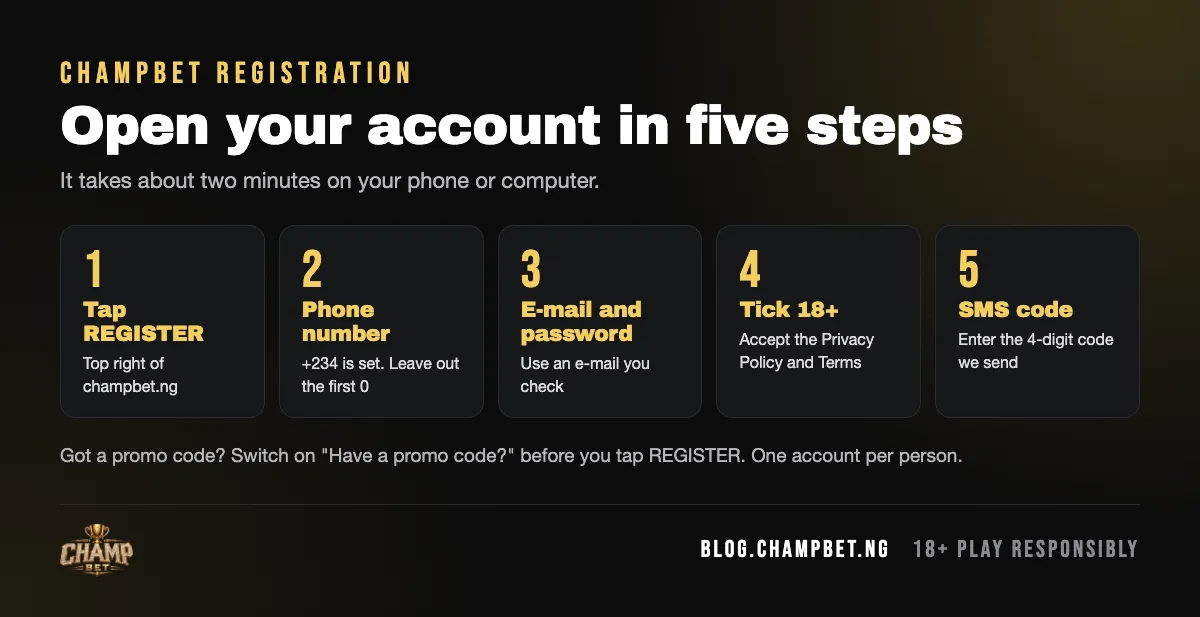
To register on ChampBet, open www.champbet.ng and tap REGISTER at the top right of the screen. Type your phone number (the +234 code is already set), your e-mail and a password. Switch on the promo code box only if you have a code, tick the box confirming you are over 18 and accept the terms, tap REGISTER, then enter the 4-digit SMS code.
Before you start
- Age: you must be 18 or older to open an account.
- Phone: use a number you own and can receive SMS on. It becomes your sign-in number.
- E-mail: use an address you actually check, so you can recover your account later.
- Password: pick one you do not use on any other site.
- One account per person: if you have registered before, sign in instead of opening a new account.
Step by step
- Open the official site. Go to champbet.ng in your phone or computer browser. Check that the address bar reads champbet.ng and nothing else.
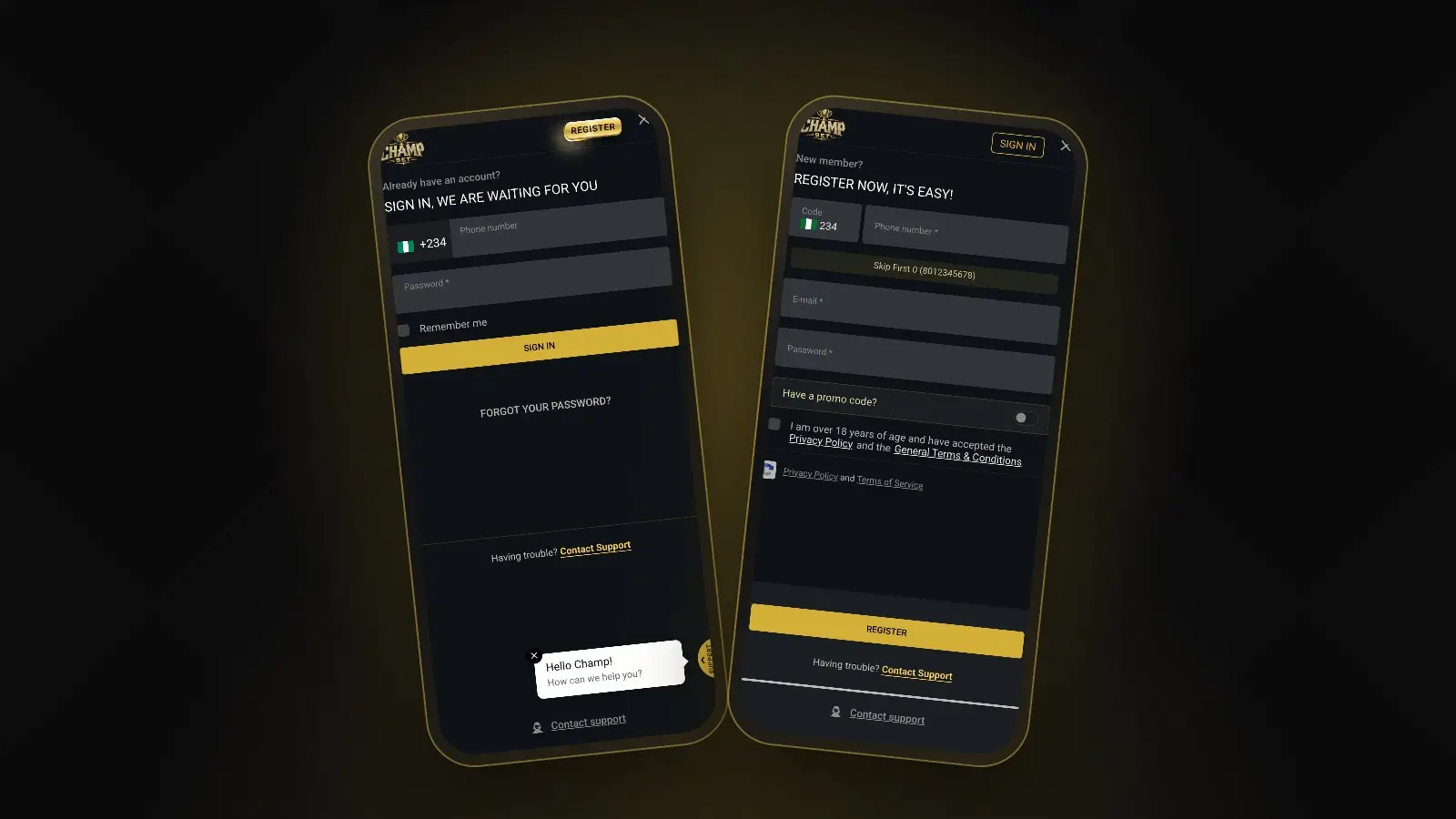
- Tap REGISTER. It is the gold button at the top right, next to SIGN IN. The pop-up opens with “New member? REGISTER NOW, IT’S EASY”. You can also use this direct link to the registration form.
- Enter your phone number. The Code box already shows the Nigerian flag and +234. In the “Phone number *” box, type your number without the first 0, as the hint “Skip First 0 (8012345678)” shows. So 0801 234 5678 becomes 8012345678: ten digits, no spaces.
- Enter your e-mail address in the “E-mail *” box. Type it carefully. A typo here makes password recovery harder.
- Create a password in the “Password *” box. Mix letters, numbers and symbols, and keep it to yourself.
- Promo code (optional). Switch on “Have a promo code?” only if you have a code to enter. Otherwise leave it off. You do not need a code for the welcome offers.
- Tick the age and terms box. The checkbox reads “I am over 18 years of age and have accepted the Privacy Policy and the General Terms & Conditions”. It is required, so you cannot register without it. Both documents are linked in the sentence: read the general terms before you tick.
- Tap REGISTER. If anything goes wrong, “Having trouble? Contact Support” just under the button opens WhatsApp support.
- Confirm your phone. ChampBet sends a 4-digit code by SMS. Enter it to confirm your number and finish signing up.
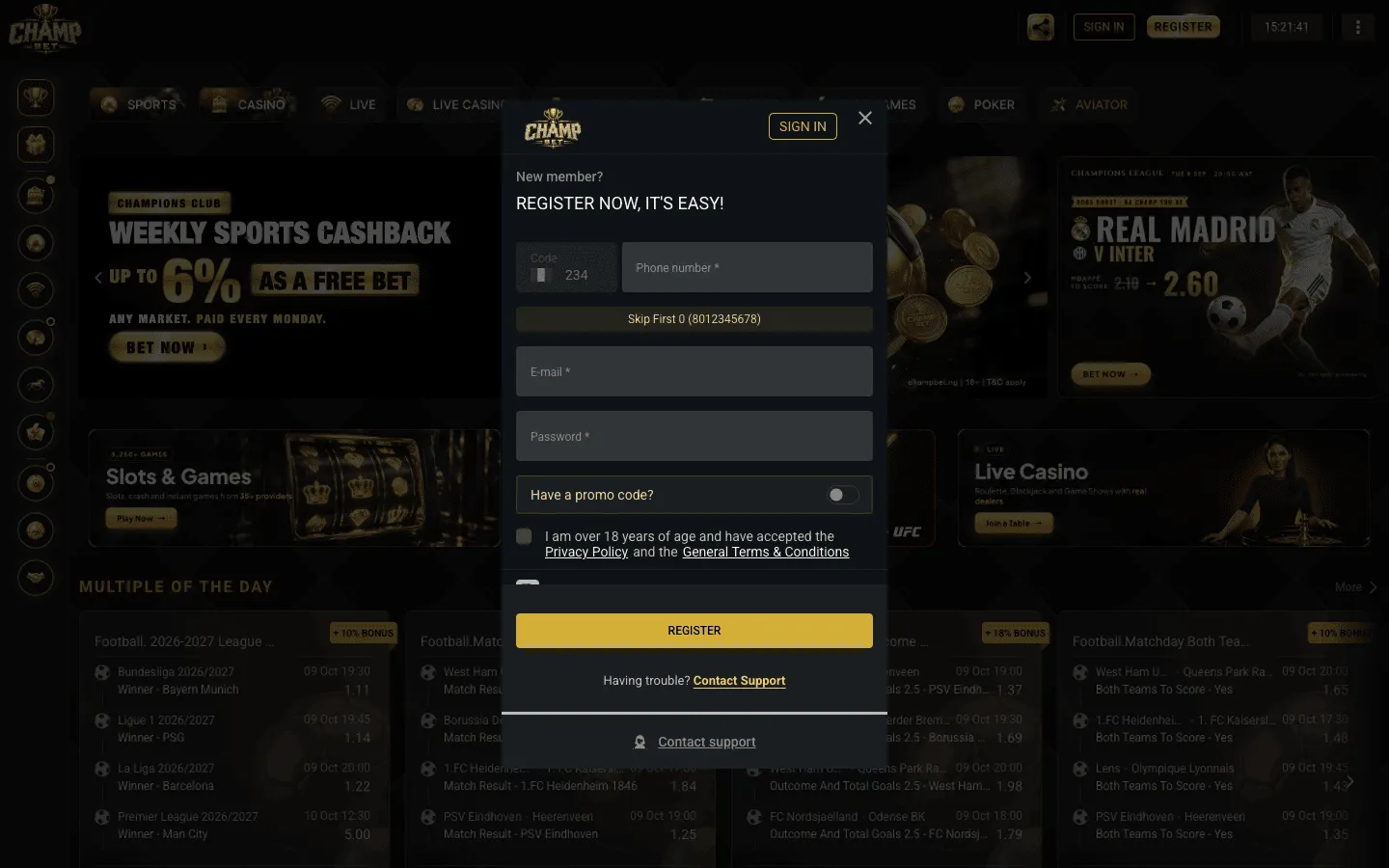 The registration pop-up on desktop, with SIGN IN at the top for existing players.
Registering on your phone
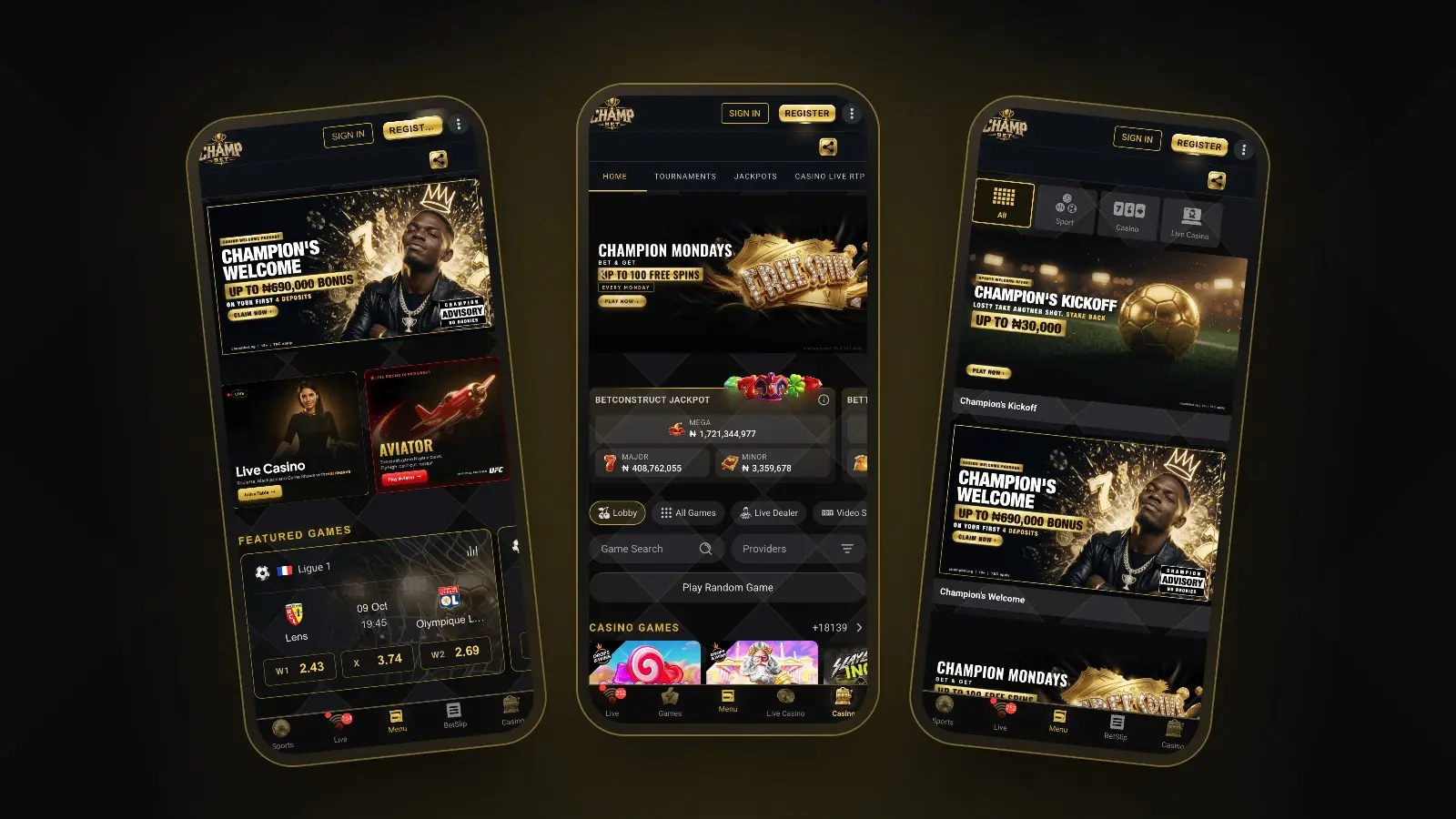
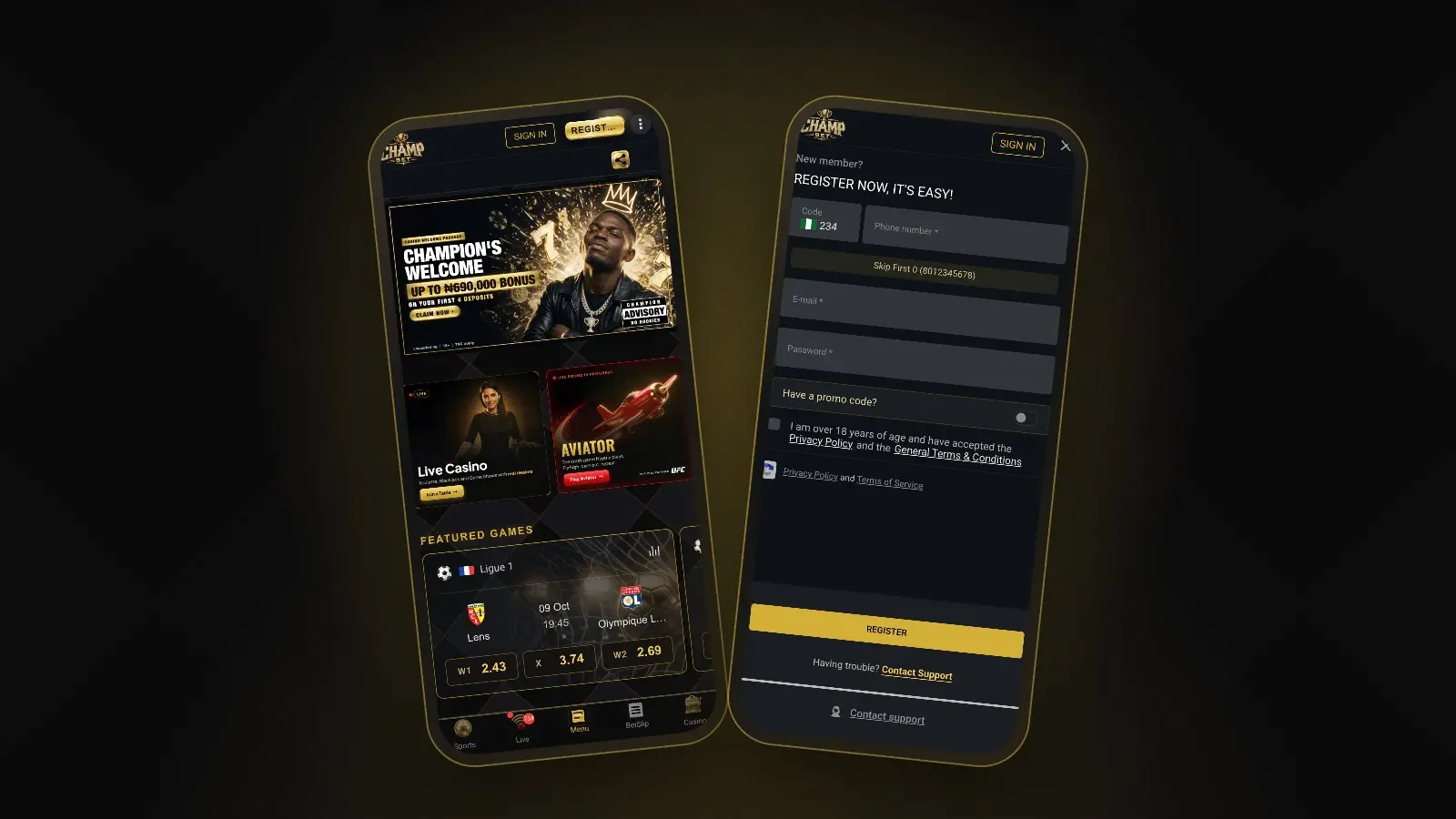
The form is the same on mobile. Tap REGISTER at the top right of any page, next to SIGN IN, and the form fills the screen: Code +234, Phone number, E-mail, Password, the promo code toggle, then the over-18 checkbox and the REGISTER button. Once you are in, the bottom bar takes you to Sports, Live, Menu, BetSlip and Casino. There is no app to download: you can add champbet.ng to your home screen so it opens like an app.
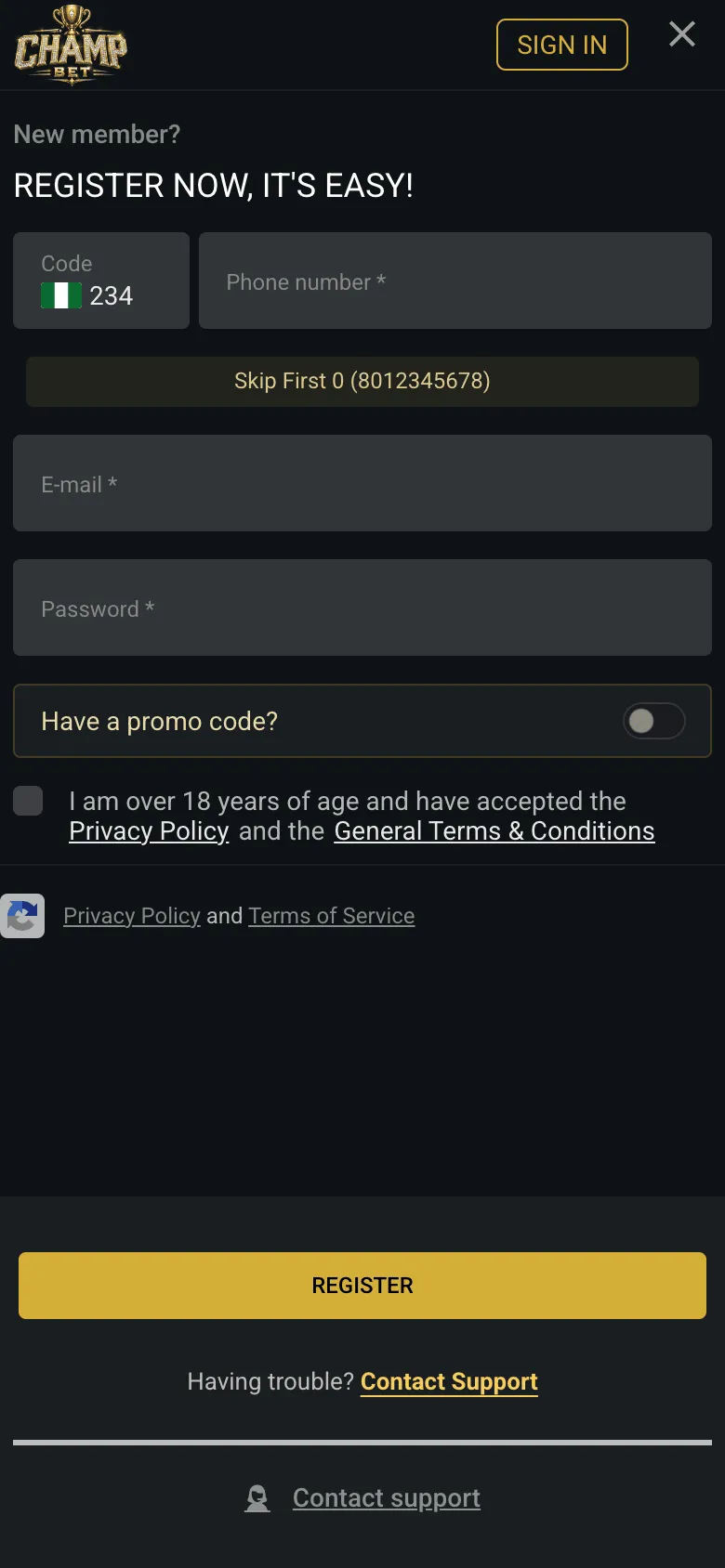 On mobile, tick the over-18 and terms box before you tap REGISTER.
What should I do after registering?
After you register, keep your details accurate, verify your account, choose one welcome offer before your first deposit, then deposit and place a bet. Doing it in that order matters, because the casino welcome offer must be claimed before you pay, and withdrawals only go to a bank account in your own name.
1. Keep your details exactly as on your ID
When the site asks for your name, date of birth and ID details, enter them exactly as they appear on your ID and your bank account. Basic data such as your first name, last name and date of birth cannot simply be edited later: support can only change them once you send a document that proves the correct details. Withdrawals are paid only to a BVN-verified bank account in your own registered name, so a mismatch here causes problems later.
2. Verify your account
ChampBet may ask you to verify your identity (KYC) before withdrawals and before some bonuses. The welcome offers are for new, verified players. The general terms and conditions list a valid identity card, passport or driving licence as accepted ID.
3. Choose your welcome offer
ChampBet has two welcome offers, and you can take one per person. Pick the one that fits how you play:
| Offer | For | What you get | Key rule |
|---|---|---|---|
| Champion’s Kickoff | Sports | Won: next bet boosted by 50%. Lost: stake back as a bonus, up to ₦30,000 | First bet a ₦2,000+ multiple, 3+ selections at 1.40+ |
| Champion’s Welcome | Casino | 100%, 125%, 150%, then 200% bonus on your first four deposits | Claim it in Bonuses before each deposit of ₦2,000+ |
Full terms apply on each offer page. For a closer look at the wagering on each, read our ChampBet welcome bonus guide.

4. Make your first deposit
Sign in, tap Deposit at the top of the screen and pay with Paystack, Flutterwave, OPay or PalmPay. ChampBet does not add a fee to deposits. Our step-by-step guide on how to deposit on ChampBet covers each method.
5. Place your first bet
Head to the sportsbook, tap the odds you want and enter your stake in the bet slip. If you are new to this, start with how to place a bet on ChampBet.
Common ChampBet registration problems
Most sign-up problems come from the phone number format or a missing SMS code. Here are the fixes.
| Problem | Fix |
|---|---|
| Phone number not accepted | Type 10 digits without the first 0: 8012345678, not 08012345678. Do not type 234 again, and leave out spaces. |
| SMS code not arriving | Check the number on screen, make sure you have signal, wait a minute. Still nothing? Tap “Having trouble? Contact Support” to reach WhatsApp support. |
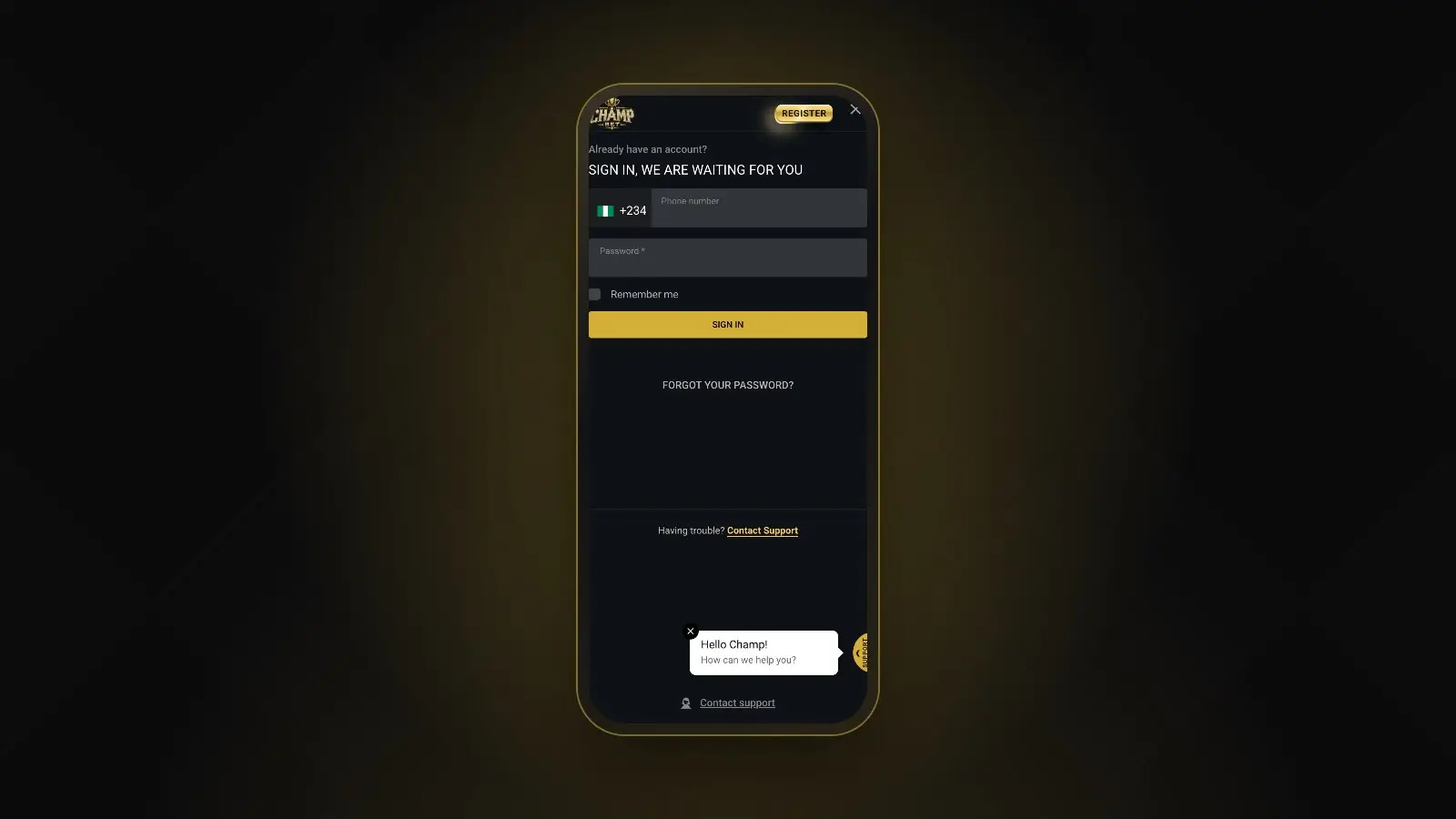
| E-mail or number already registered | You probably have an account already. Use sign in or FORGOT YOUR PASSWORD? instead of registering again. |
| Promo code not accepted | Check the spelling and spaces. If it still fails, ask support whether the code is current. |
| REGISTER does nothing | Check that the over-18 and terms box is ticked and that every field marked * is filled in. |
| Pop-up does not open | Refresh the page, check you are on champbet.ng and update your browser. |
If none of these work, ChampBet customer care on WhatsApp at +234 707 982 0431 can help. Never share your SMS code or password with anyone, including people who claim to be ChampBet staff.
Is it safe to register on ChampBet?
ChampBet is run by Champ Betting Limited (RC 9561453) in Lagos and licensed by the Lagos State Lotteries and Gaming Authority (LSLGA). How your details are used is set out in the privacy policy. To learn more about the company behind the site, read Meet ChampBet. Protect your side too: use a strong password and only ever sign in at champbet.ng.
Wondering what sets ChampBet apart? Read why ChampBet is the best new betting site in Nigeria.
Make sure you sign up at champbet.ng: ChampBet is not Championbet, Champion Bet or any similarly named site.
Ready to play
Once your account is open and your phone is confirmed, compare the offers on the ChampBet promotions page and claim the one that suits you before your first deposit. Set a budget first, and bet only what you can afford to lose.
Frequently asked questions
How do I register on ChampBet?
Go to champbet.ng and tap REGISTER at the top right. Enter your phone number without the first 0, your e-mail and a password, add a promo code only if you have one, tick the over-18 and terms box, then tap REGISTER. Confirm your phone with the 4-digit code ChampBet sends you by SMS.
Why does ChampBet say my phone number is invalid?
The +234 code is already filled in, so type the remaining 10 digits without the first 0. For 0801 234 5678, enter 8012345678. Do not add 234 or +234 again, and leave out spaces. Use a number you own, because the confirmation code is sent to it by SMS.
What if I don't receive the ChampBet SMS code?
Check that the number is correct and that your phone has signal, then give it a minute. If the 4-digit code still does not arrive, tap Contact Support on the registration pop-up or message ChampBet on WhatsApp at +234 707 982 0431. Never share the code with anyone.
Is ChampBet registration free?
Yes. Opening a ChampBet account is free, and you do not have to deposit straight away or bet a set amount. You can deposit whenever you are ready from the Deposit button. You must be 18 or older, and each person may hold only one account.
Can I have two ChampBet accounts?
No. ChampBet allows one account per person, and the welcome offers are limited to one per person, household, device, NIN, BVN and payment method. A second account can lead to bets being voided and offers removed. If you cannot get into your account, contact support instead.